Set store's location
How to mark the exact location of your store?

Written by Peppo
Published on 8/11/2020
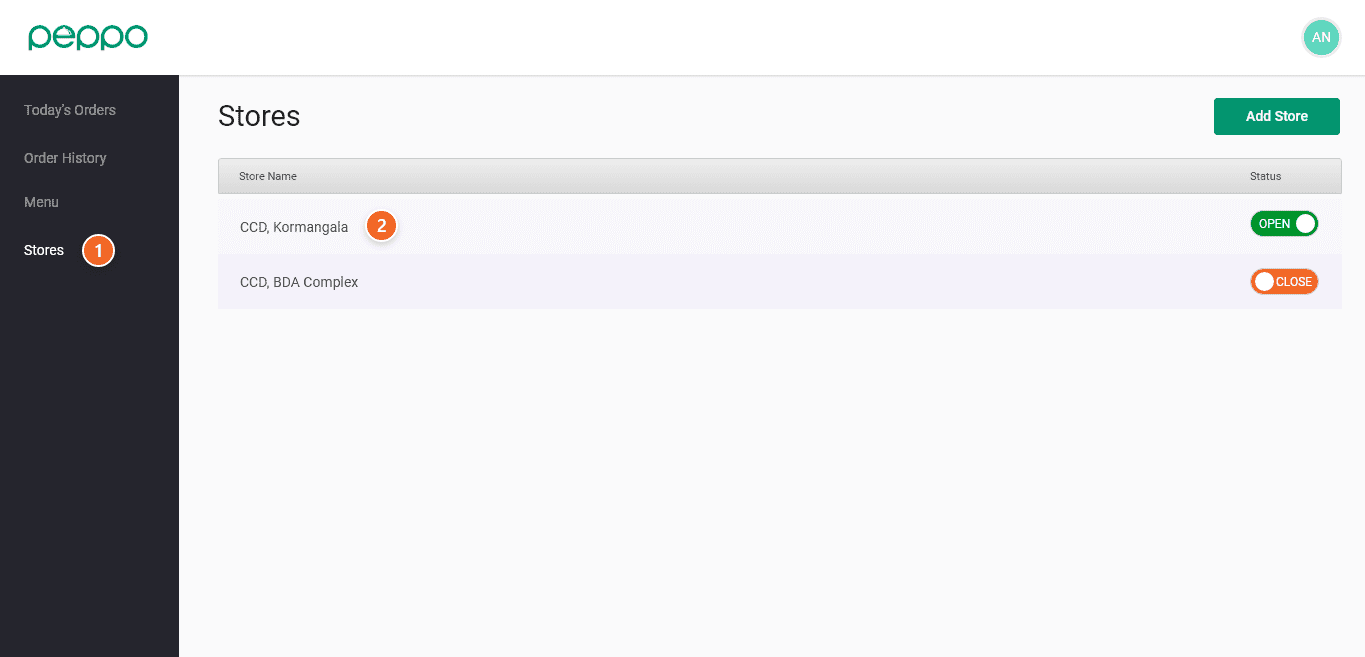
1 - Click on the Stores tab on the left panel.
2 - Click on the Store you want to edit
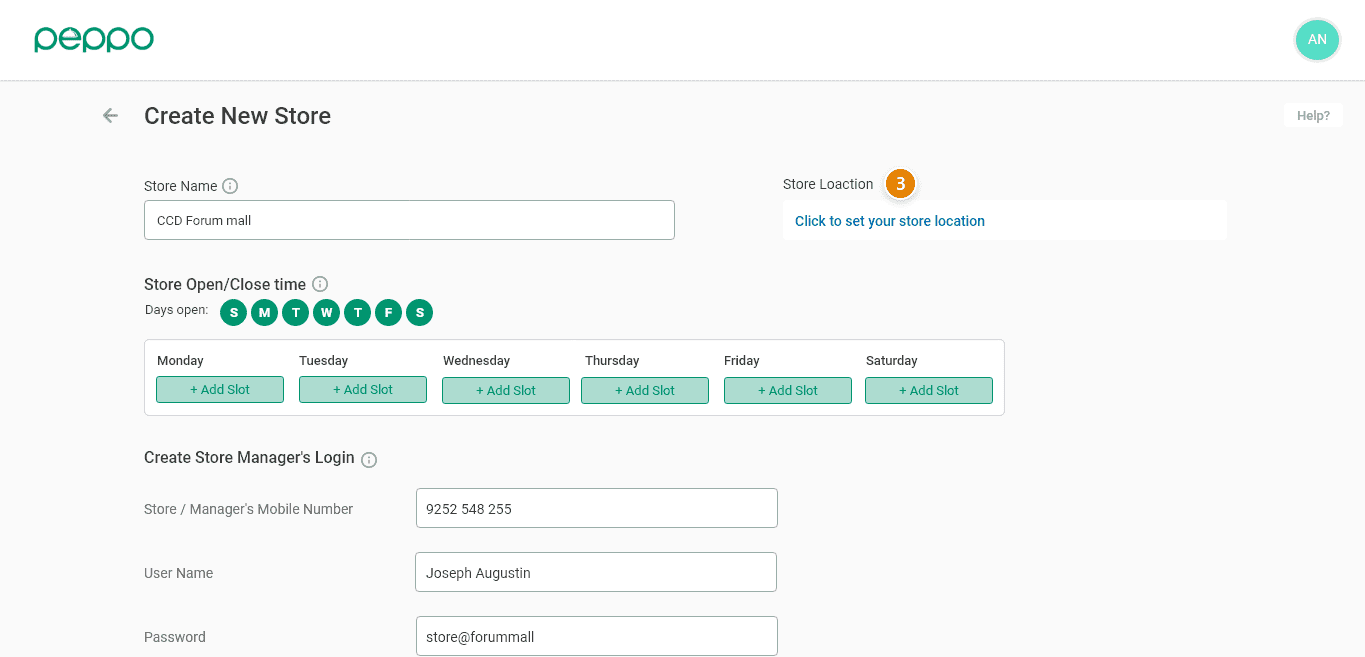
3 - Click on “Click to set your location” as shown in image below.
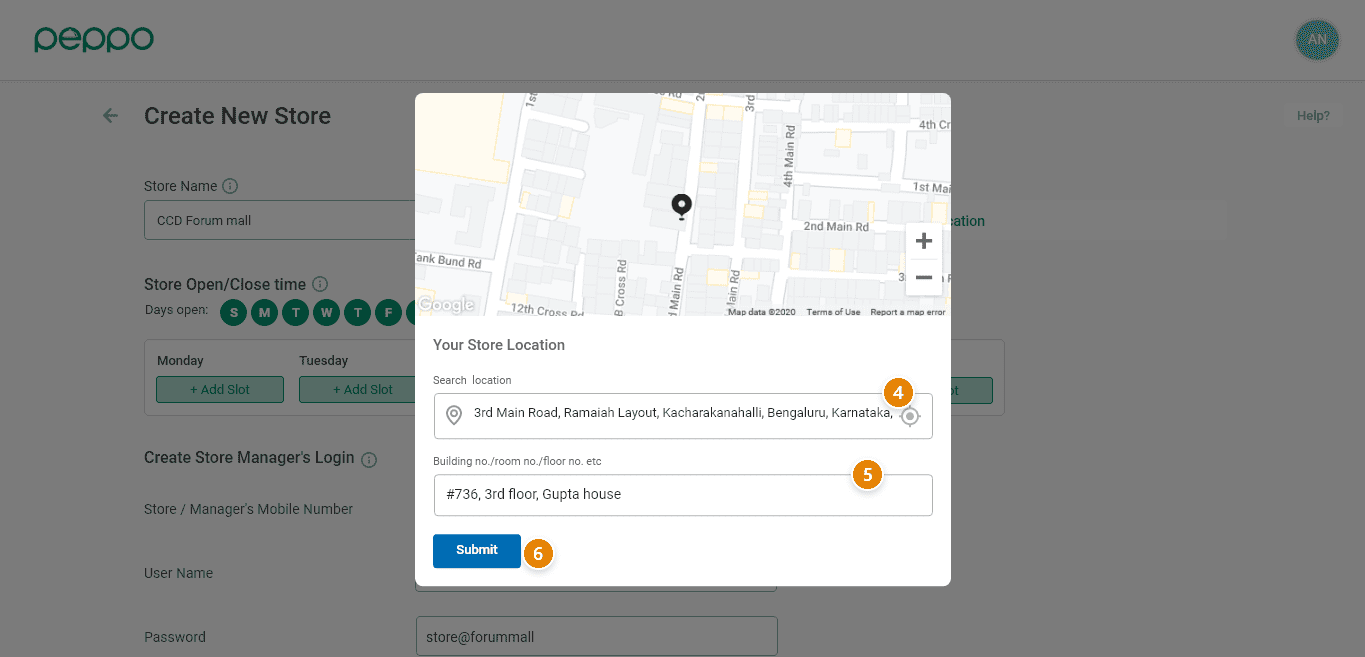
4 - Provide your store name and select the address. The other way is to share your current location using the circle marked if you are inside the store.
5 - Provide building no, floor no., and other details.
6 - Click the ‘Submit’ button. Your store’s location is now saved.