Relist an item
How to add a removed item?

Written by Peppo
Published on 8/11/2020
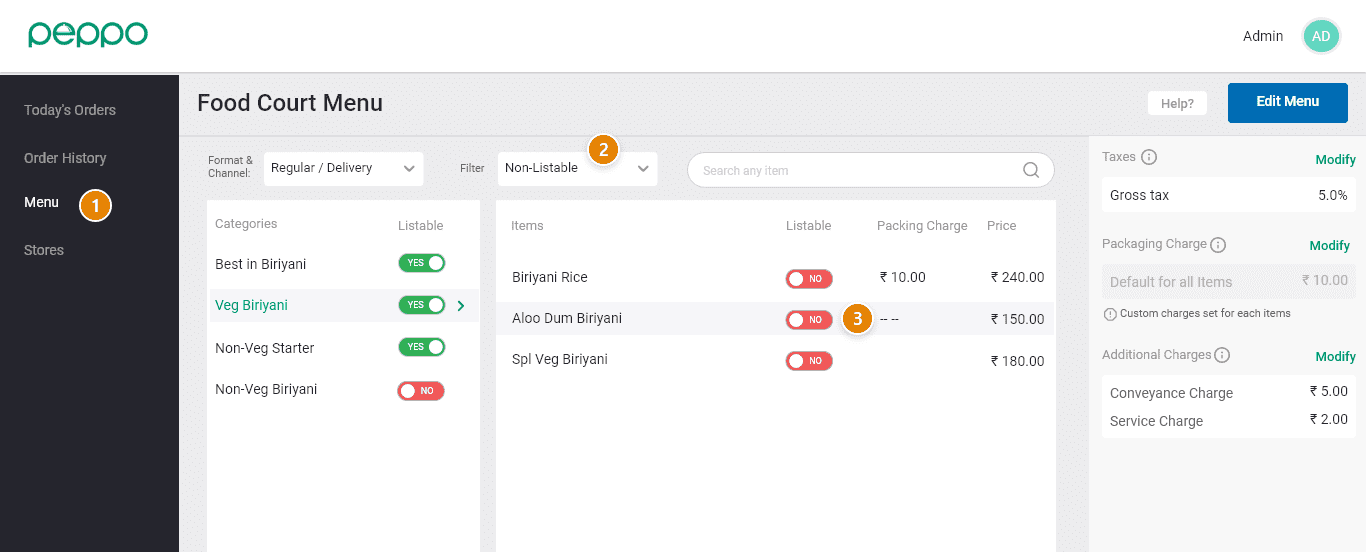
1 - Go to the ‘Menu’ tab on the left.
2 - Use the filter, and select ‘Non-Listable’.
3 - Change the toggle to ‘Yes’ for the items that you want to relist. Your item will now be listed again.