Reject an order
How to reject an order?

Written by Peppo
Published on 8/11/2020
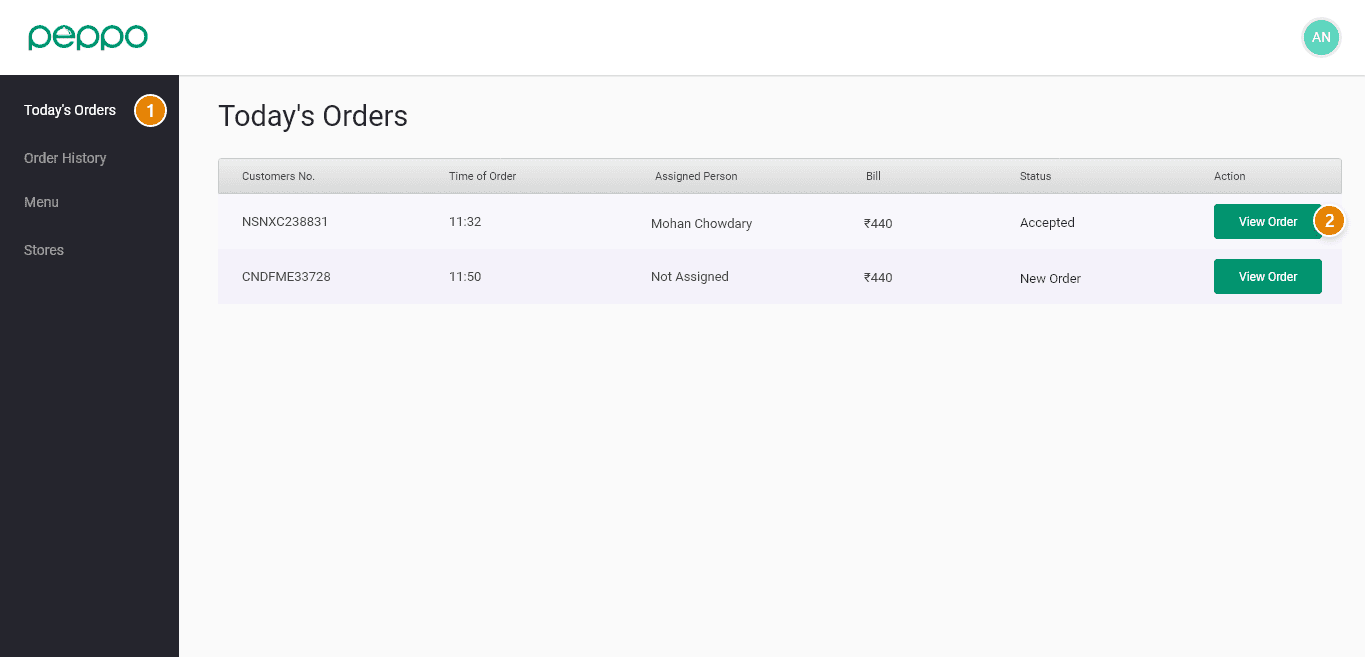
1 - Go to the ”Today’s Orders” tab on the left.
2 - Click ”View Order” to see the details.
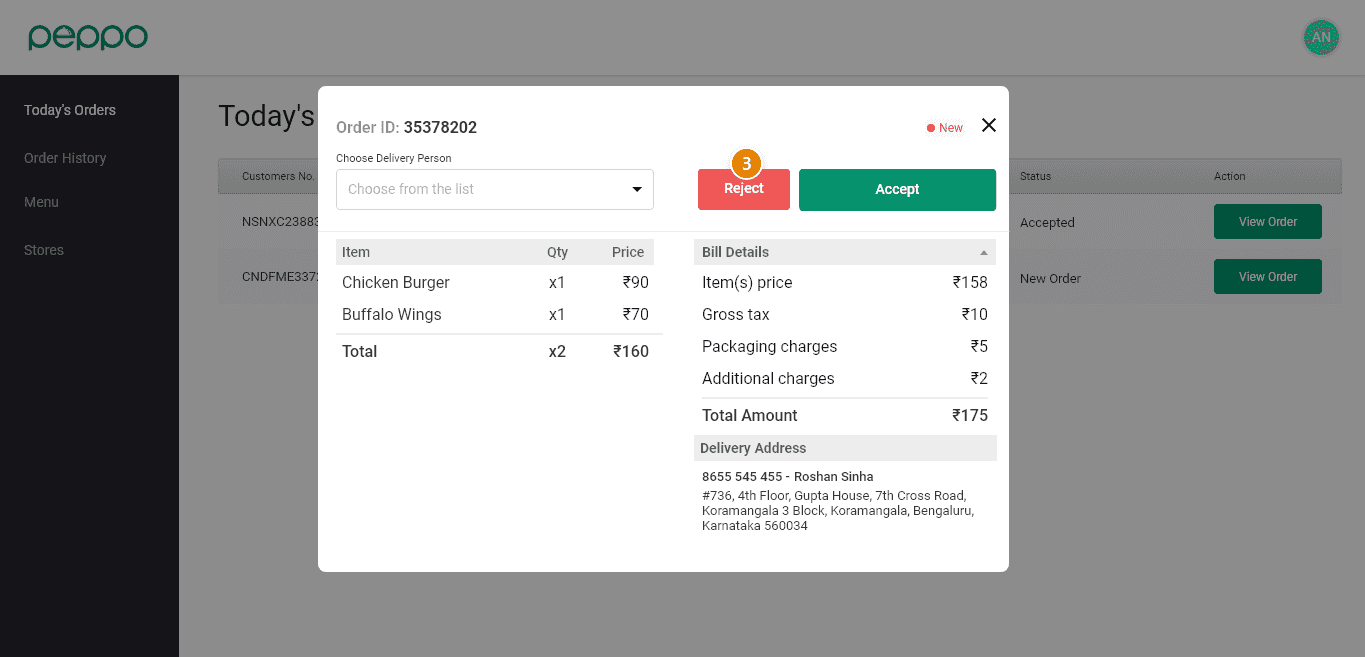
3 - Click on the ‘Reject’ button to reject an Order. The alarm will stop once you reject the order.