Ordering of the category
How to change the order of the categories?

Written by Peppo
Published on 8/11/2020
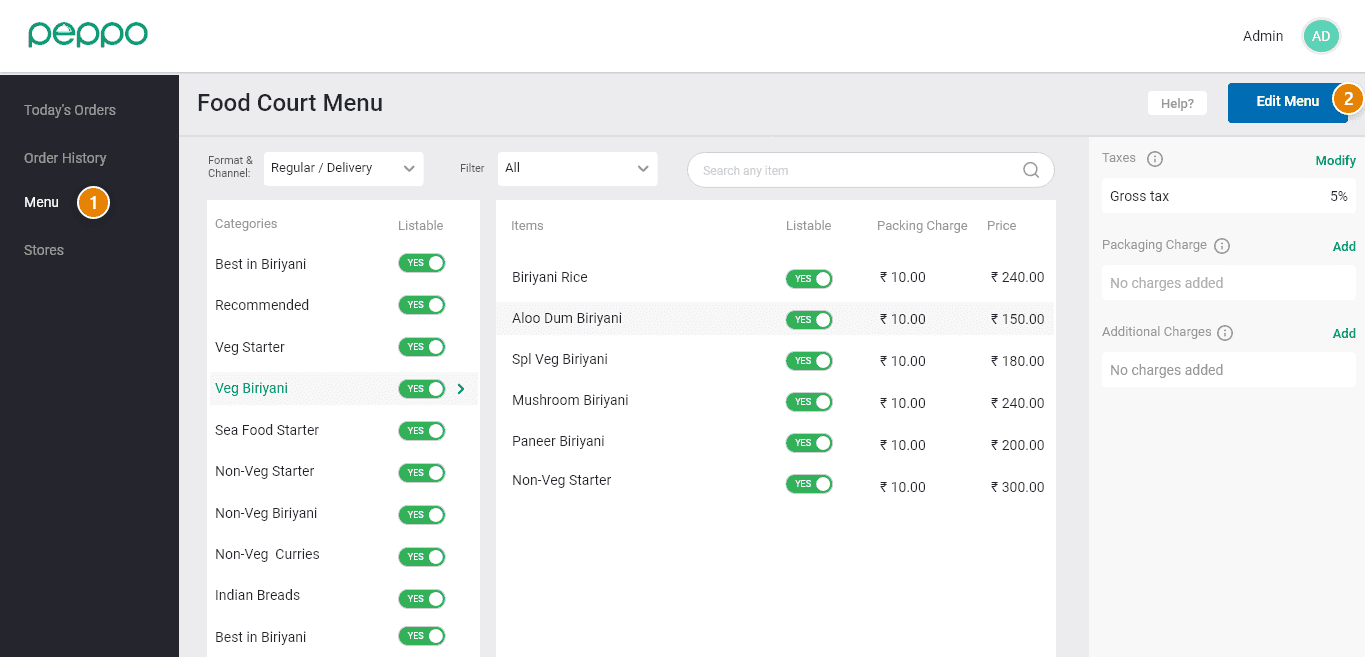
1 - Go to the ‘Menu’ tab on the left.
2 - Click on the ‘Edit Menu’ tab.
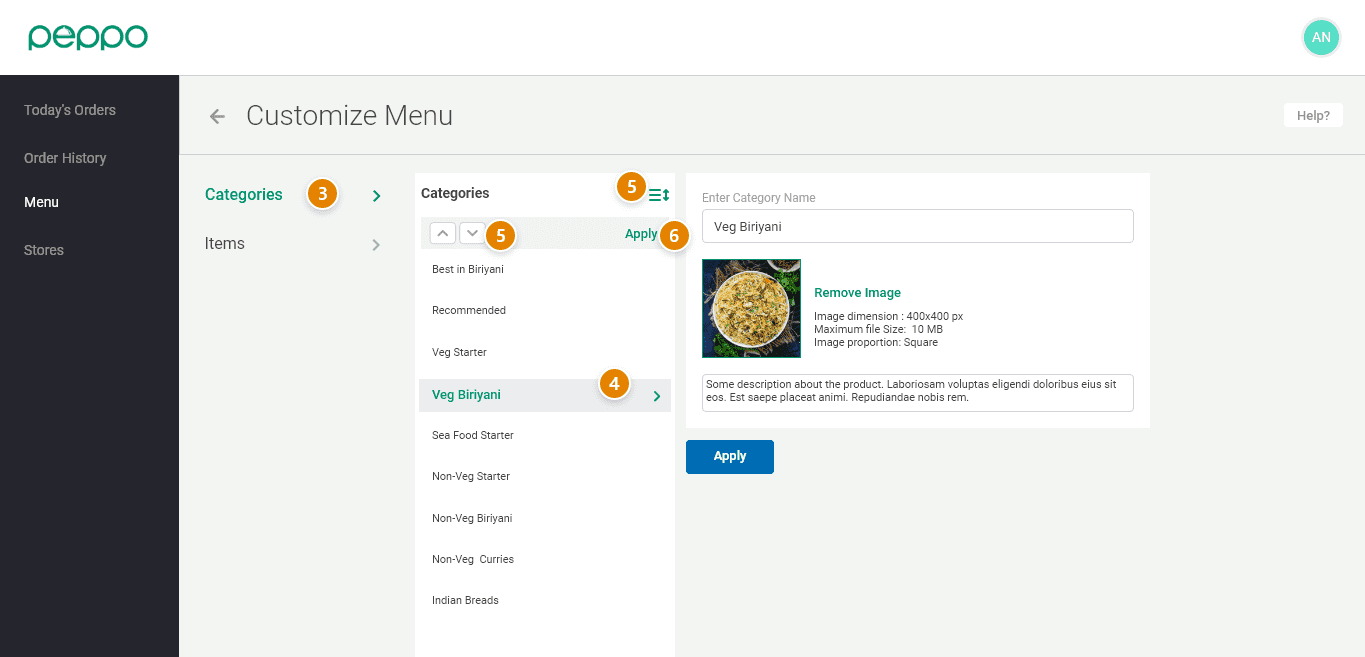
3 - Go to the ’Categories’ on the left.
4 - Select the category whose ordering needs to be changed.
5 - Click on the “three lines” icon and use the arrow button to move the item up or down.
6 - Click the “Apply” button to save the changes.