Mark an order as Delivered
How to mark an order as Delivered?

Written by Peppo
Published on 10/28/2020
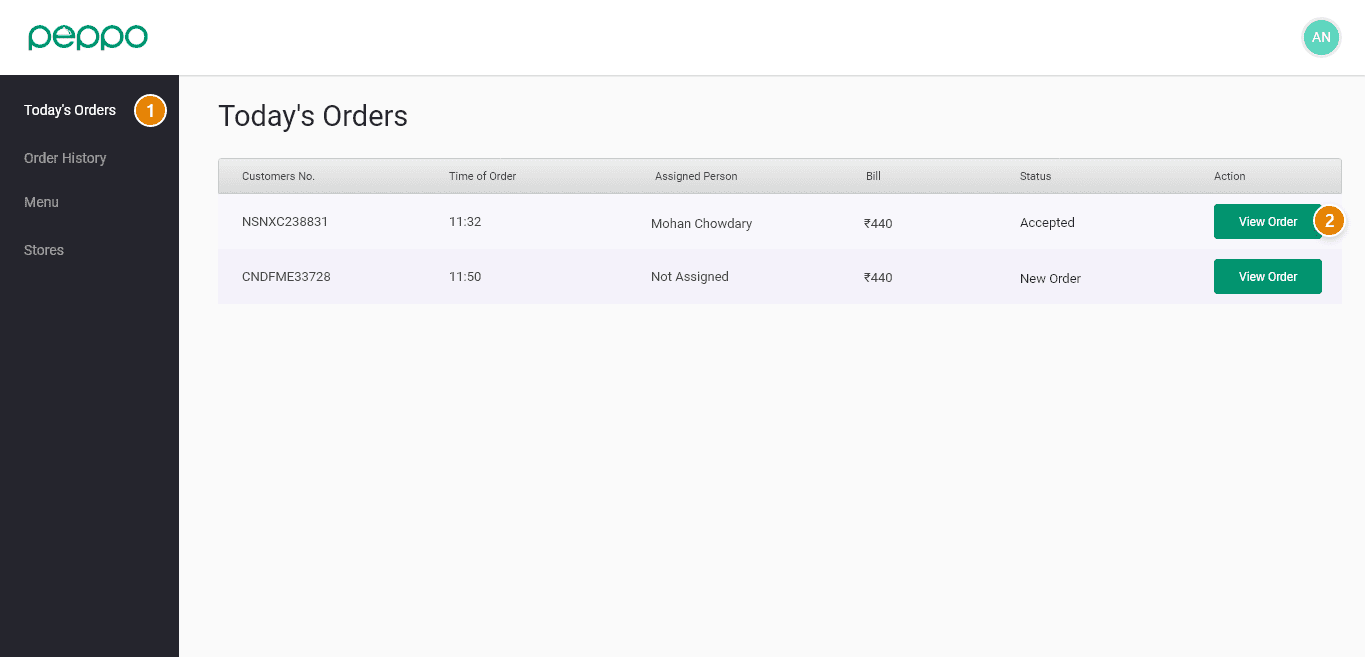
1 -Click on Today’s Orders tab
2 - Click on the View order button for the order you want to Cancel.
3 - You will find a “Delivered” button in this pop-up as shown in the image below. Please click on that and your order has been marked.
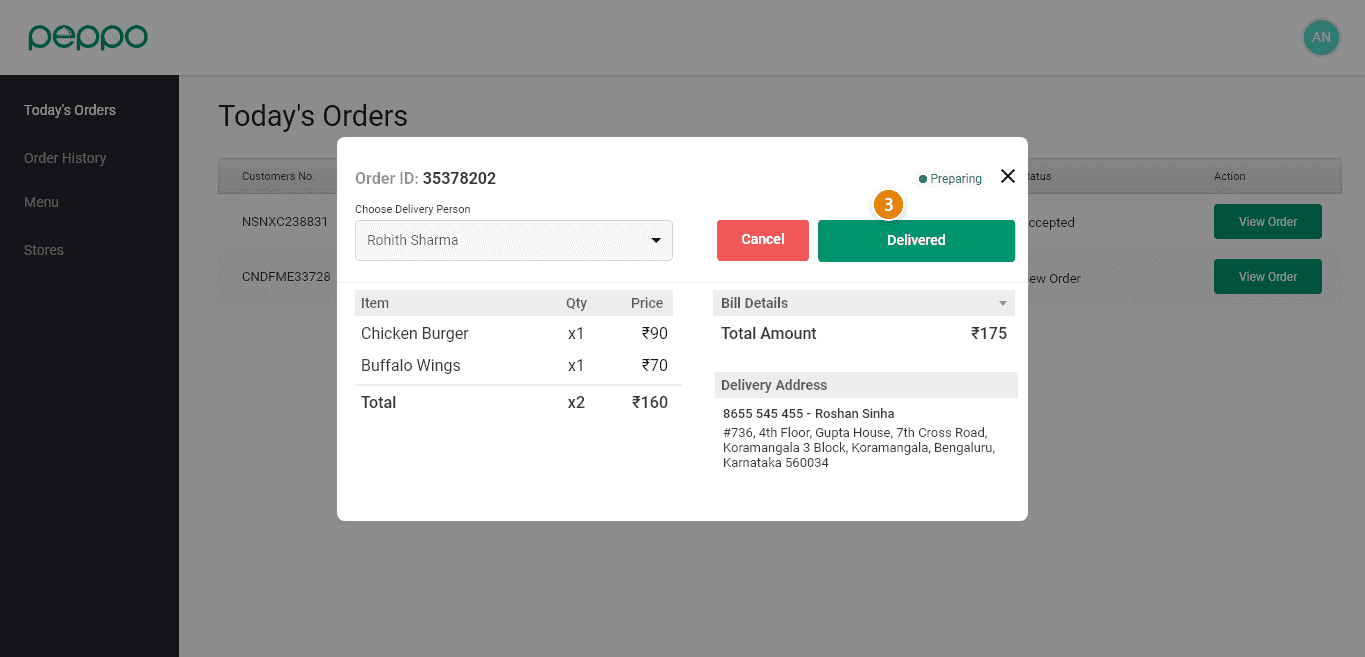
Note: You can only mark Orders under Preparing/ Delivery In Progress status as Delivered. Once marked, you will also be able to View this order under the Order History tab on your console.