Item out of stock
How to mark an item as out of stock?

Written by Peppo
Published on 8/25/2020
1- Go to the ‘Menu’ tab on the left.
2- Select the category name and change the toggle to ‘No’ for the item that is not available. The item is now marked as ”out of stock.”
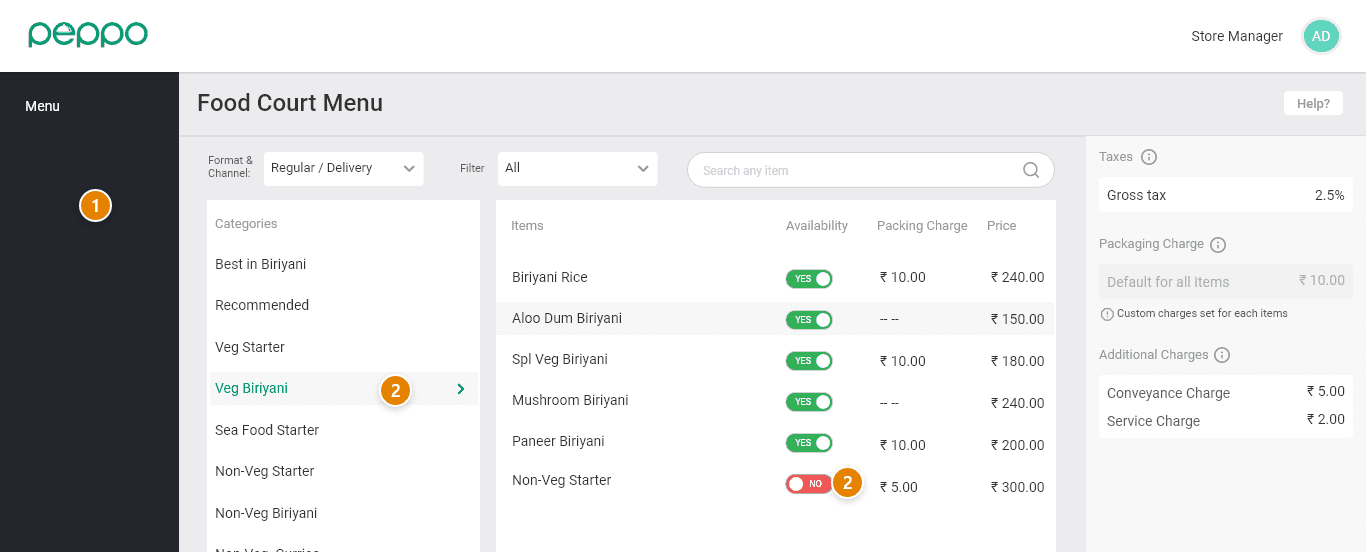
Note: Change the toggle to ‘Yes’ once the item is available.