Draw delivery area
How to draw the delivery area?

Written by Peppo
Published on 8/11/2020
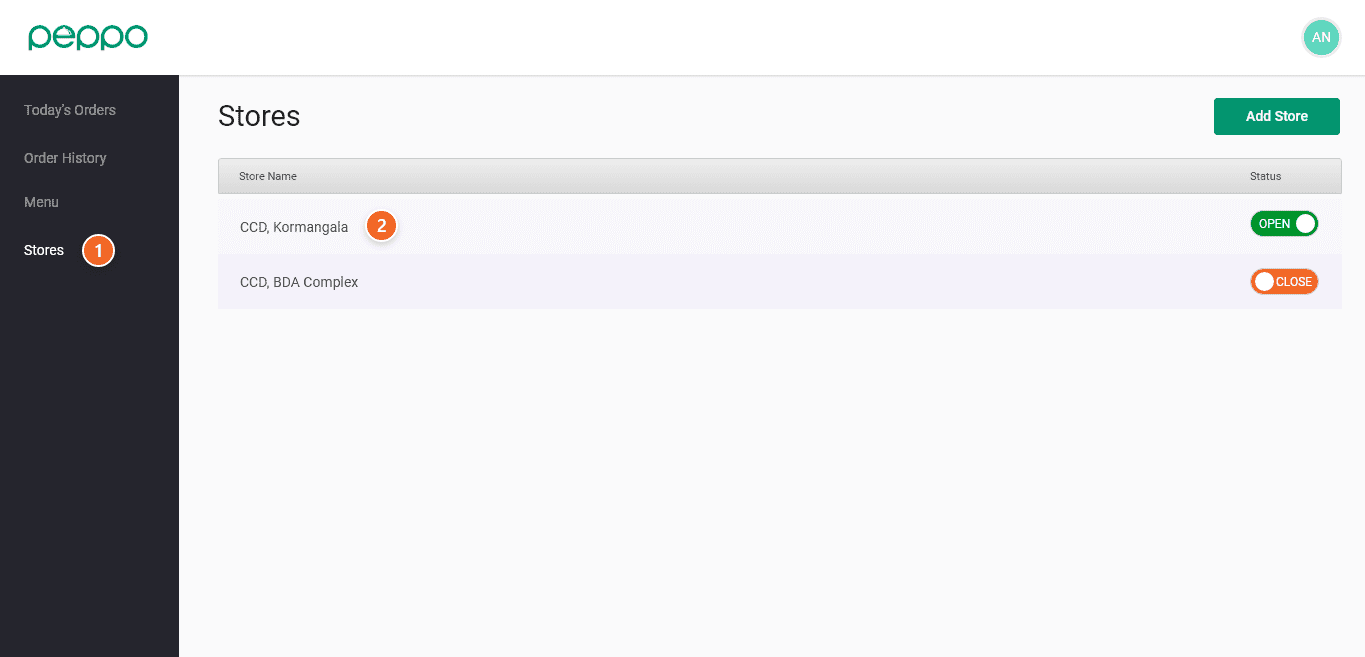
1 - Go to the “Store” tab on the left.
2 - Select the store whose delivery area you want to change.
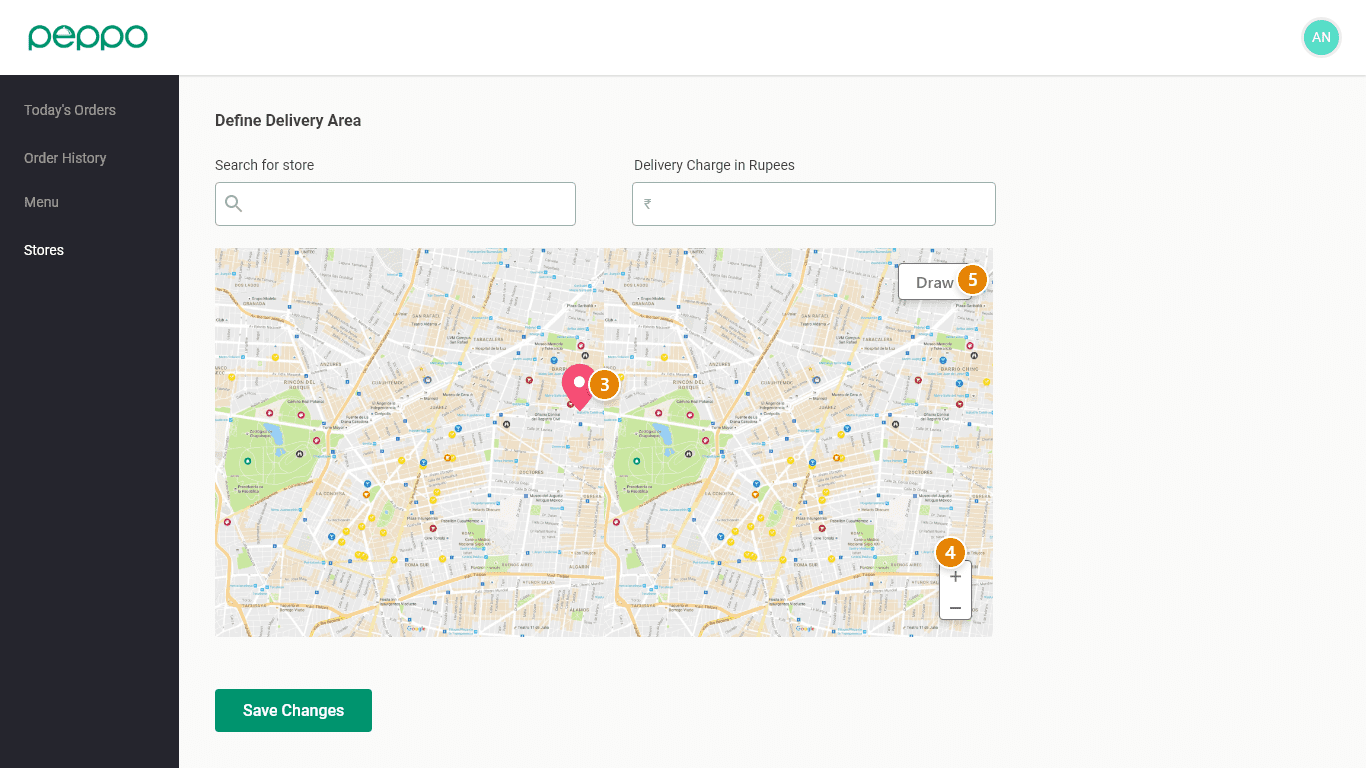
3 - On the map, a red point will highlight your store.
4 - Use the “+” to Zoom In, and “-” arrow to Zoom out.
5 - Select “Draw” to start drawing the delivery area.
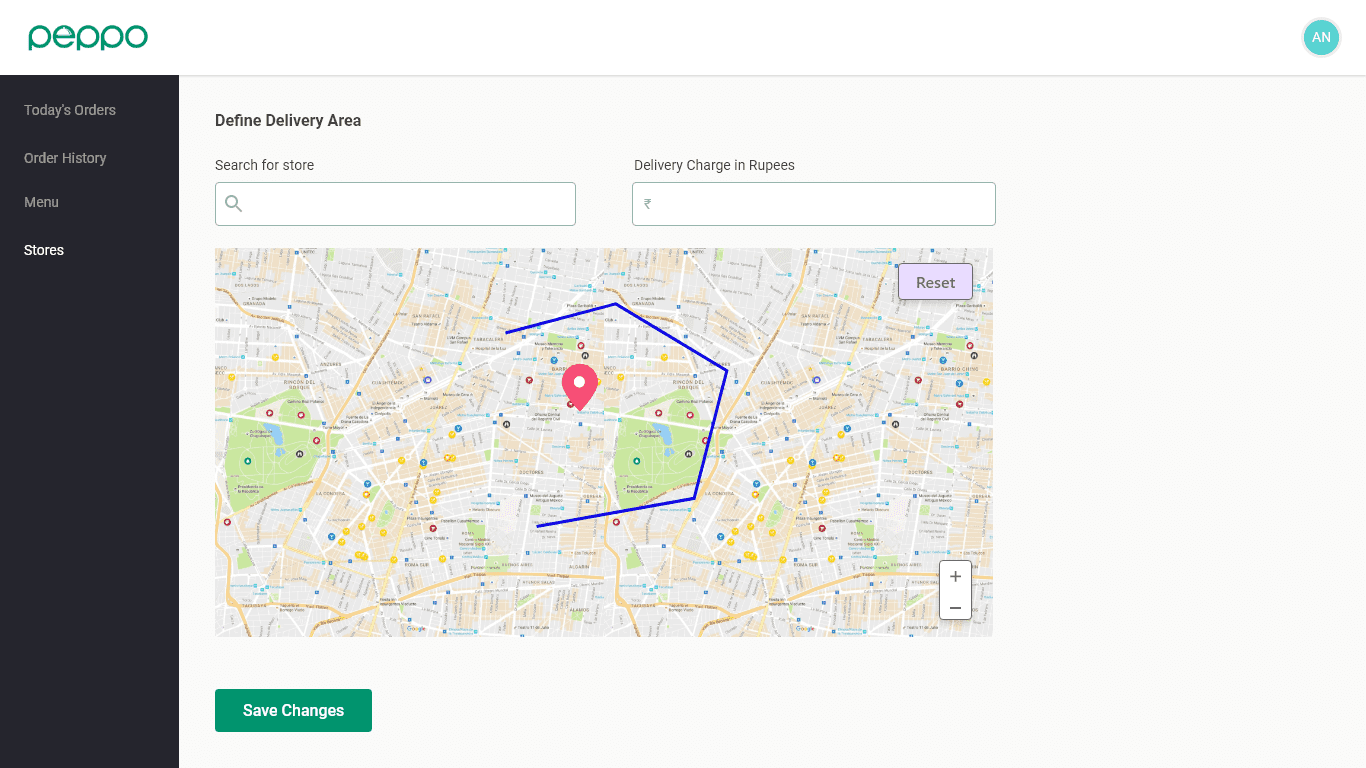
6 -
Start drawing a polygon by clicking and dragging the mouse from one point to the other, marking the boundary of the areas where your in-house delivery staff will deliver. (Refer to the images below)
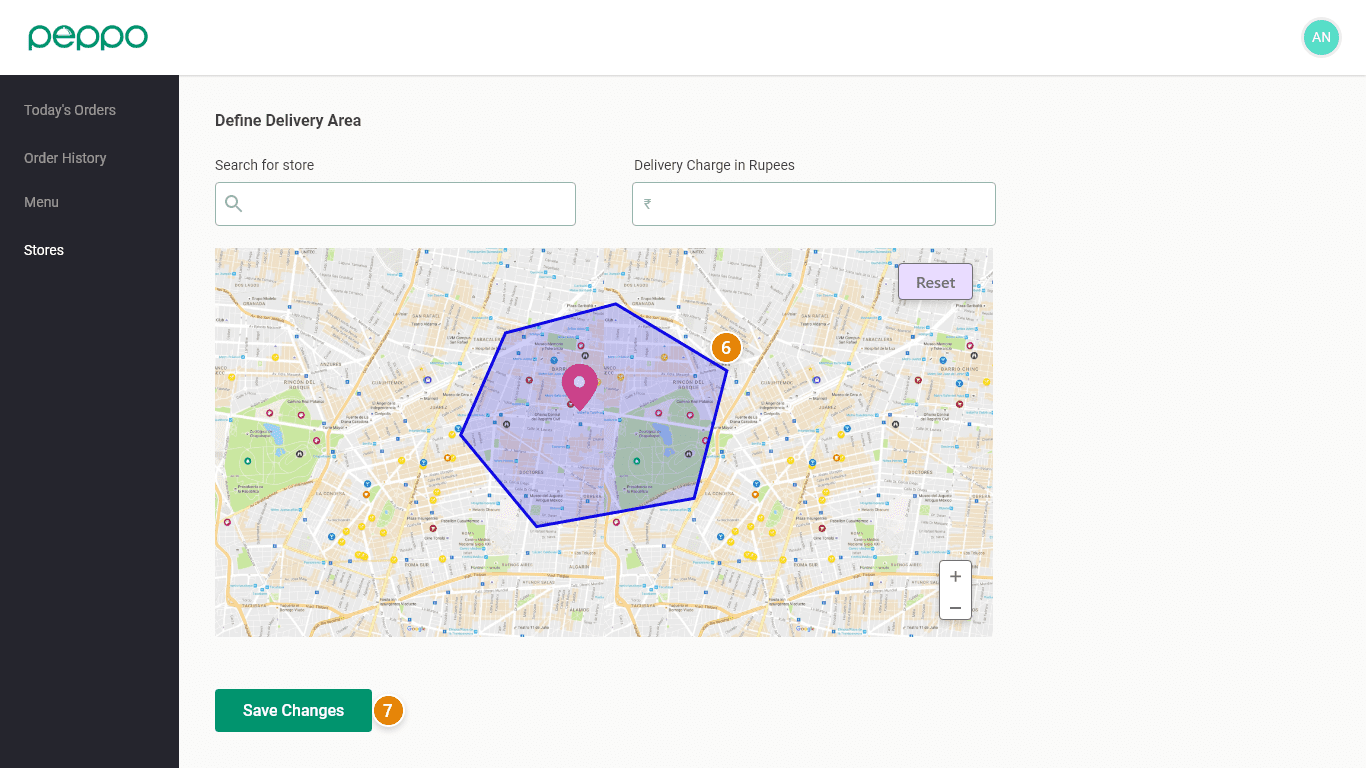
7 - Click on “SAVE CHANGES” once you draw the delivery area.