Change the tax
How to modify the taxes?

Written by Peppo
Published on 8/11/2020
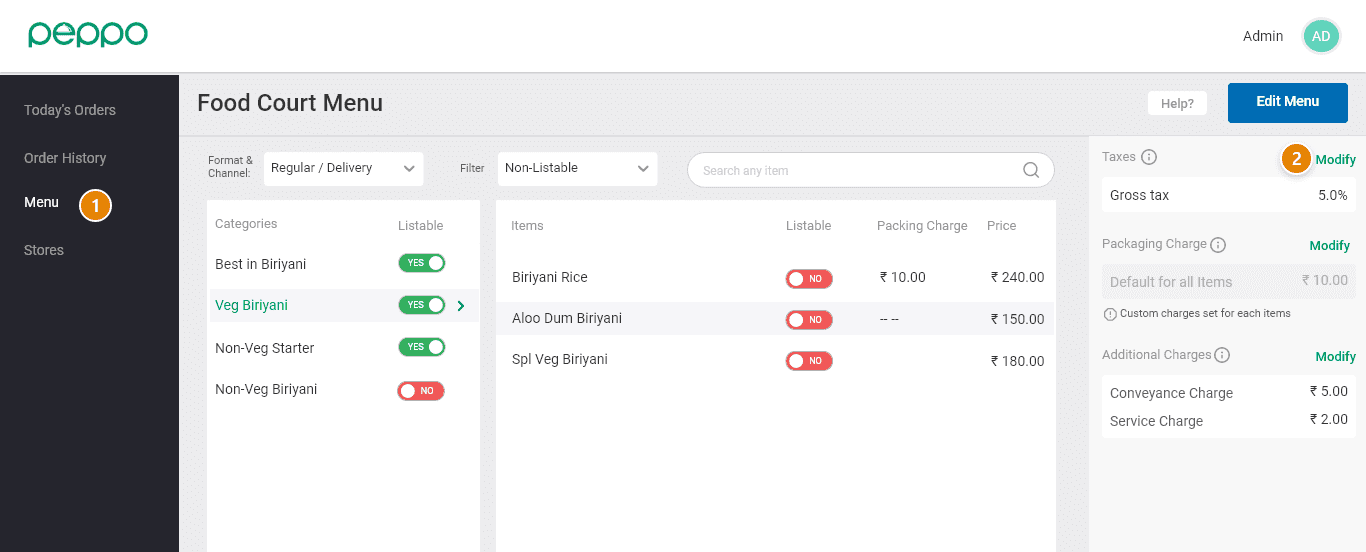
1 - Go to the ‘Menu’ tab on the left.
2 - Select ’Modify’ to change the taxes.
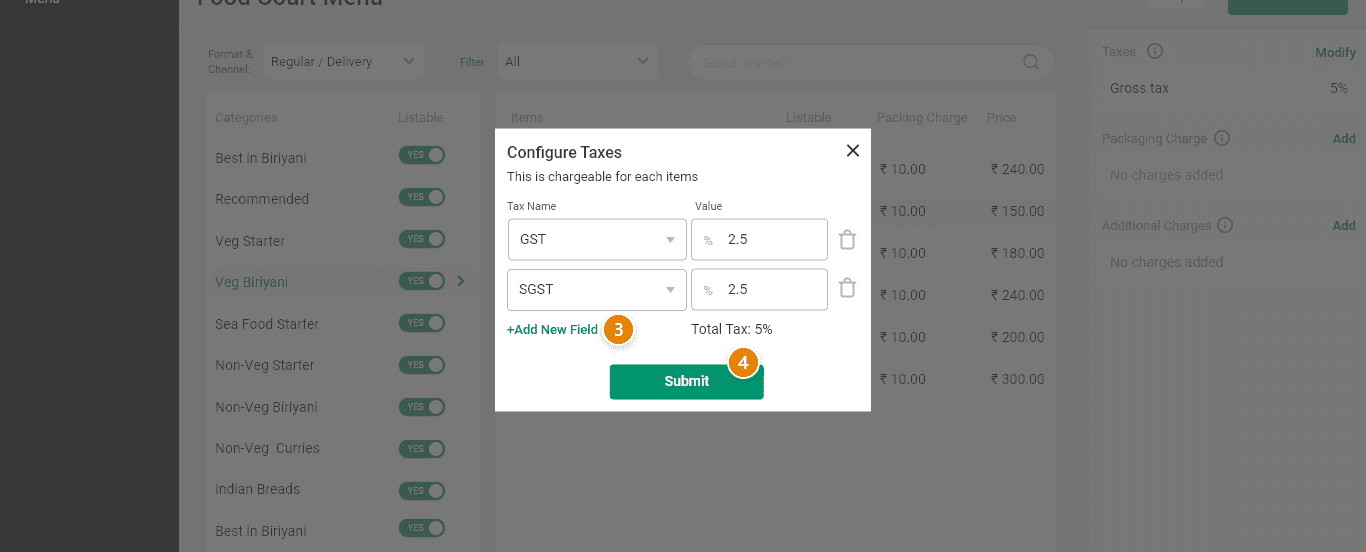
3 - Add a new field or update the price of existing charges.
4 - Select the ’Submit’ button once the changes are made.