Change the item details
How to change the Name, Price, Packaging Charges, etc of an Item?

Written by Peppo
Published on 8/3/2020
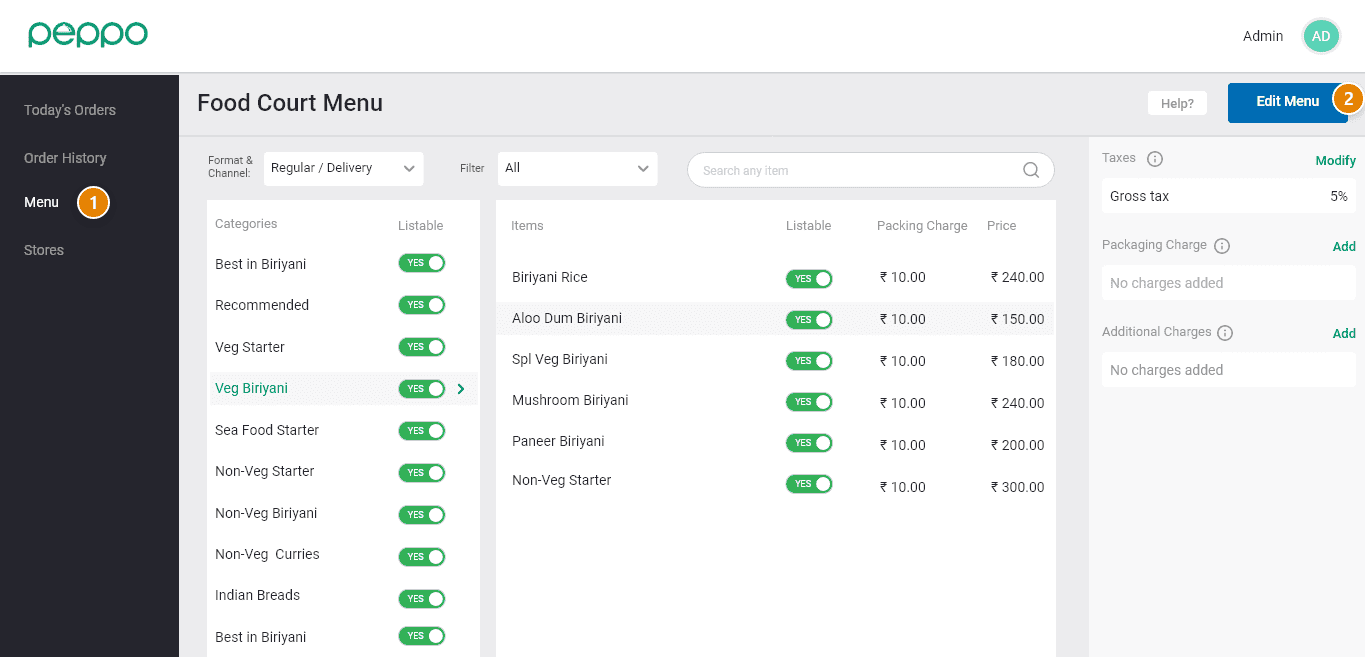
1 - Go to the ’Menu’ tab on the left.
2 - Click the ‘Edit Menu’ button on the right hand.
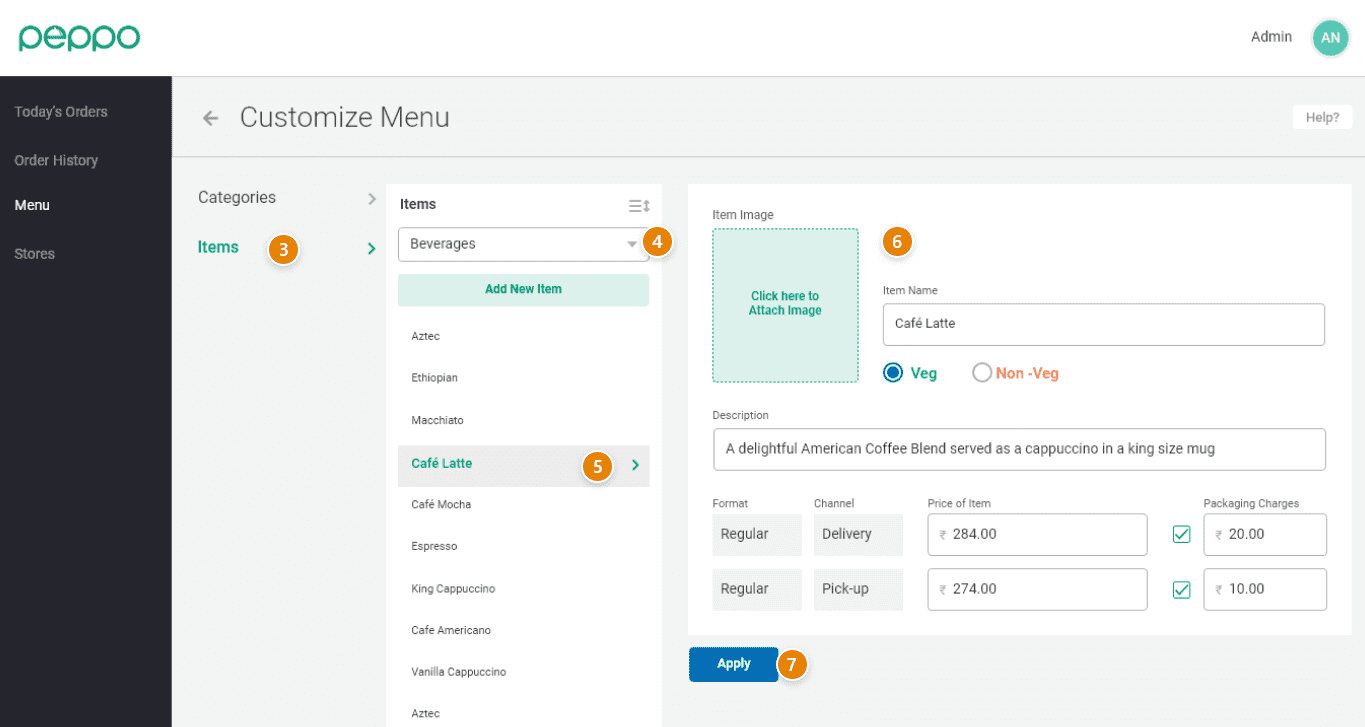
3 - Click on ‘Items’ on the left side.
4 - Select the category using the dropdown. Items under that category will be shown.
5 - Select the item that you want to change.
6 - You can change the Name, Description, Price, Packaging charges, etc.
7 - Click on the ‘Apply’ button to save the changes.