Change the login password
How to change the password of the admin's account?

Written by Peppo
Published on 8/11/2020
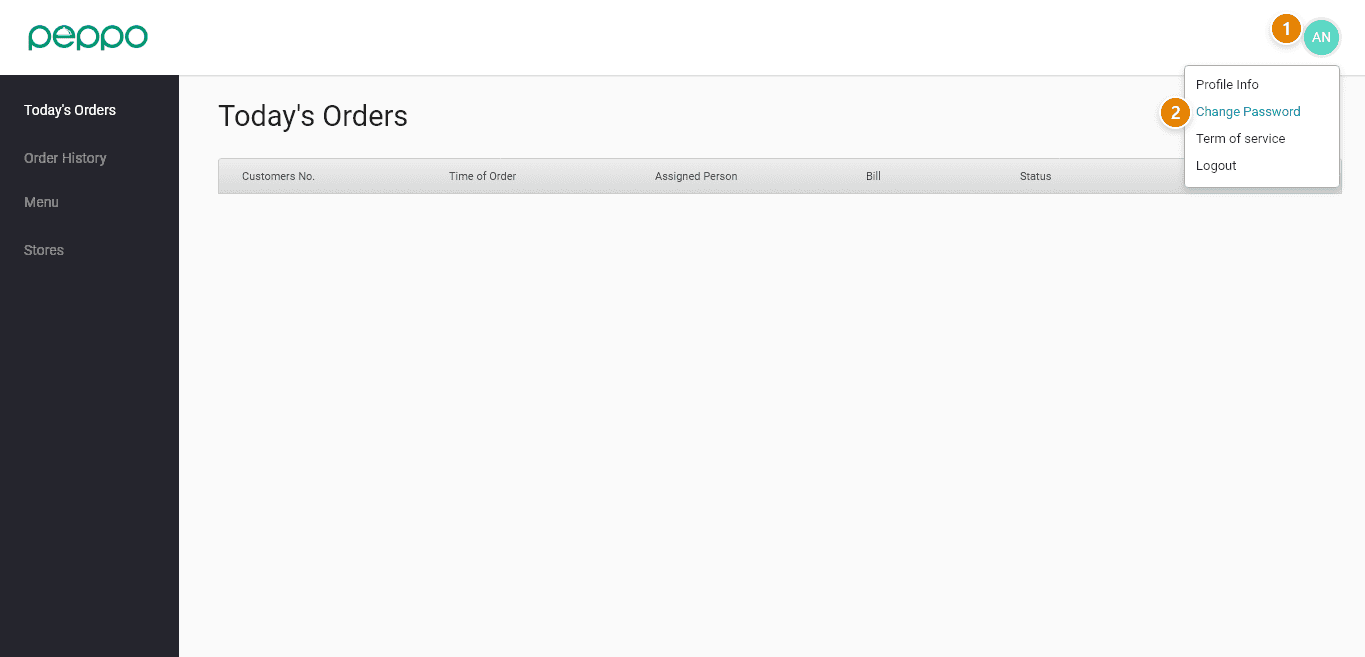
1 - Select the ’Profile’ icon.
2 - Select the option of “Change Password”.
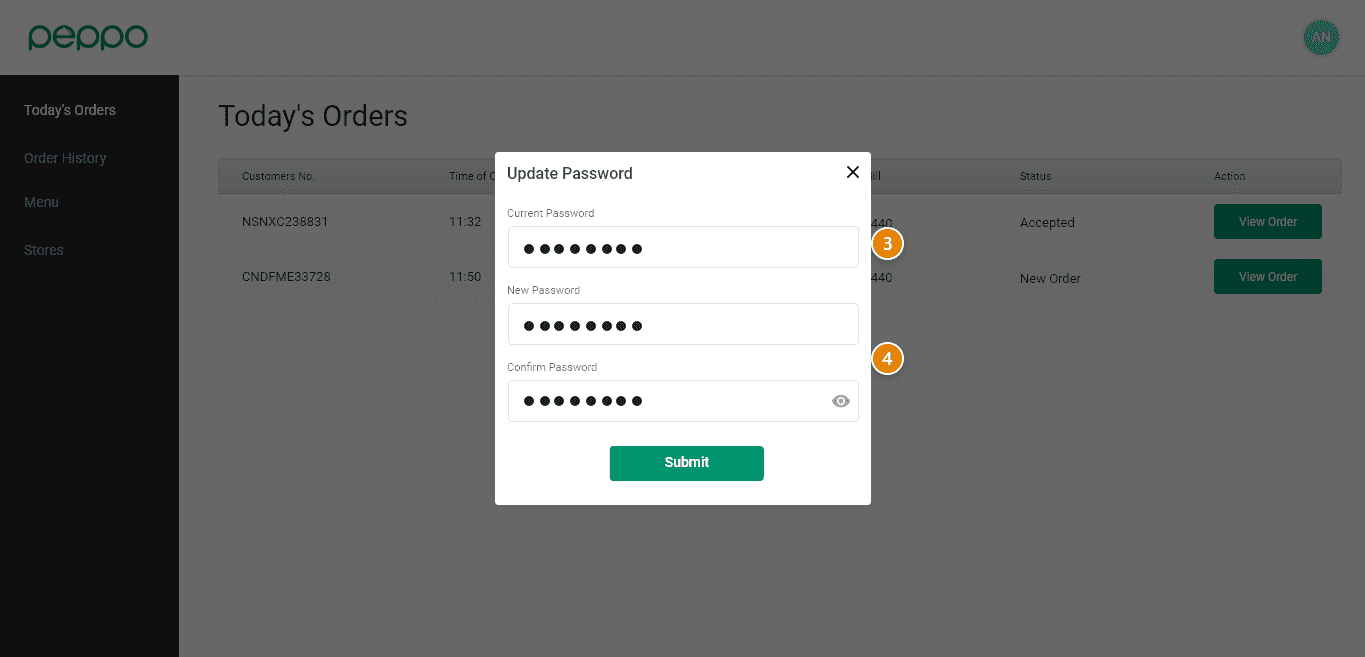
3 - Type your ’Current Password’ and ’New Password’.
4 - Click the ‘Submit’ button. The password is now changed.