Change delivery charges
How to change the delivery charges?

Written by Peppo
Published on 8/11/2020
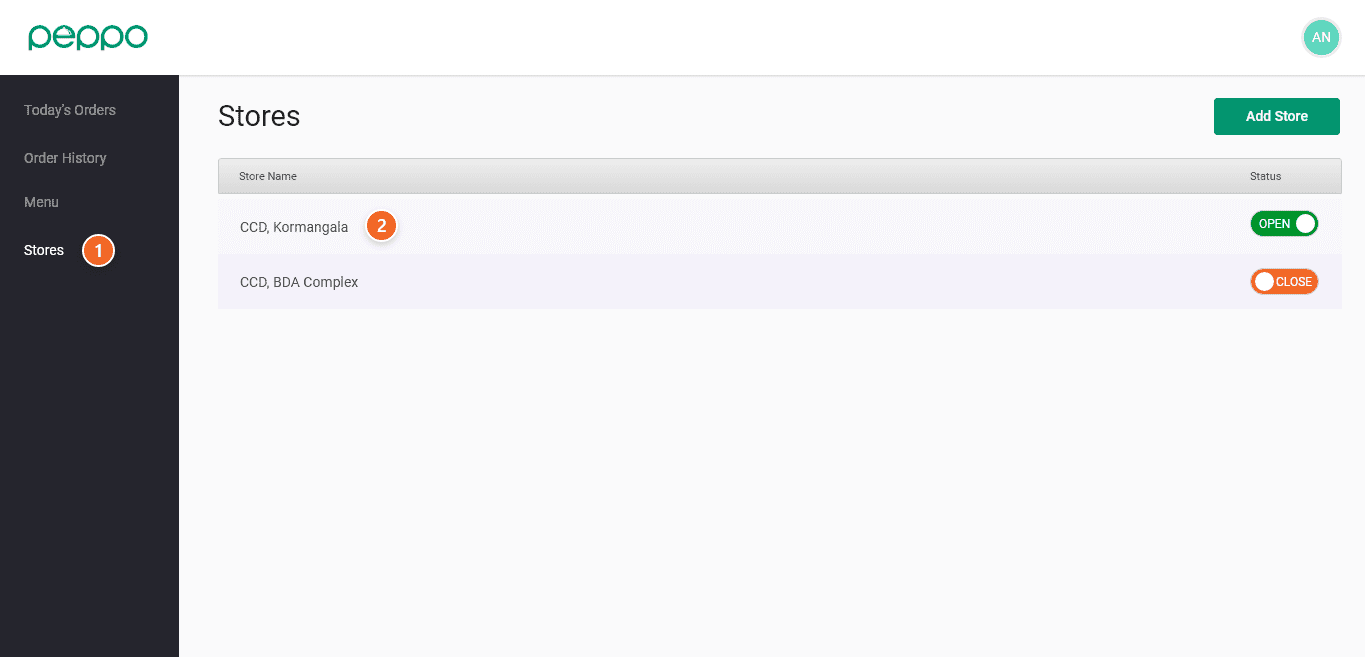
1 - Go to the ’Stores’ tab.
2 - Select the store whose delivery charges you want to change.
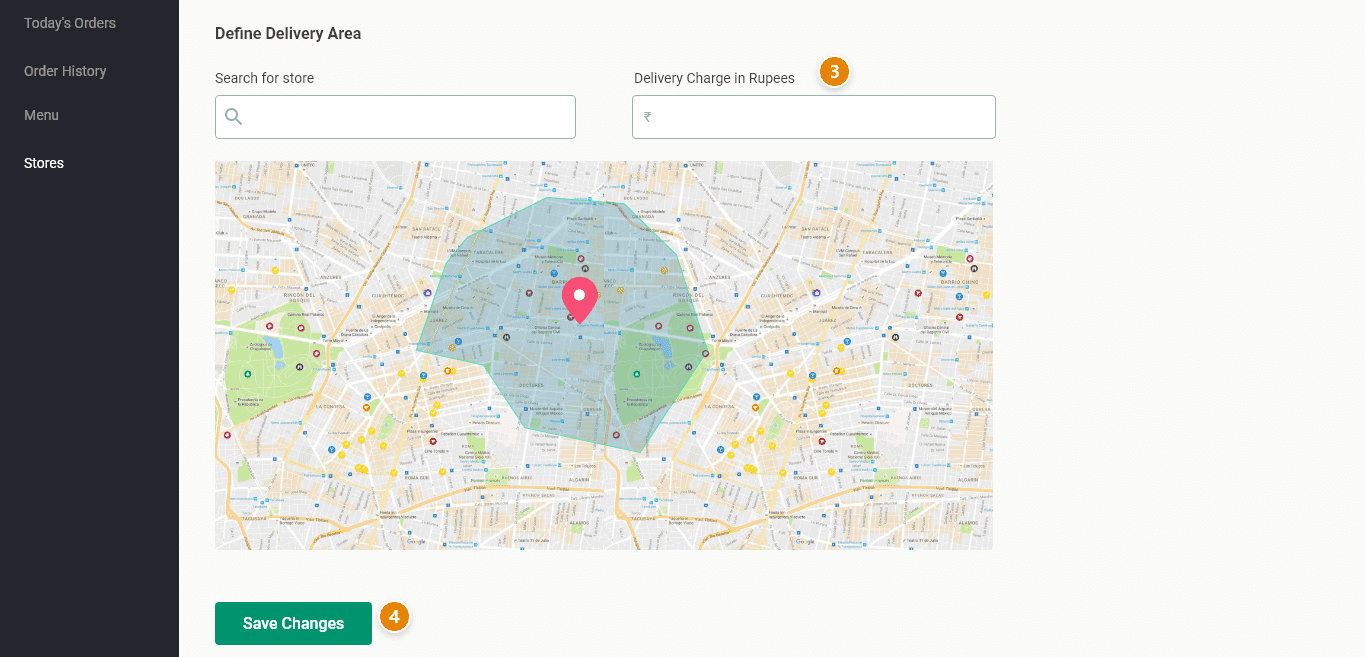
3 - Under the Define Delivery Area, there is an option named ”Delivery Charge in Rupees”. Enter the new delivery charge in the box.
4 - Click the ”SAVE CHANGES” button at the bottom of the page. The new delivery charges are now saved.