Cancel an Accepted order
How to Cancel an Accepted order?

Written by Peppo
Published on 10/28/2020
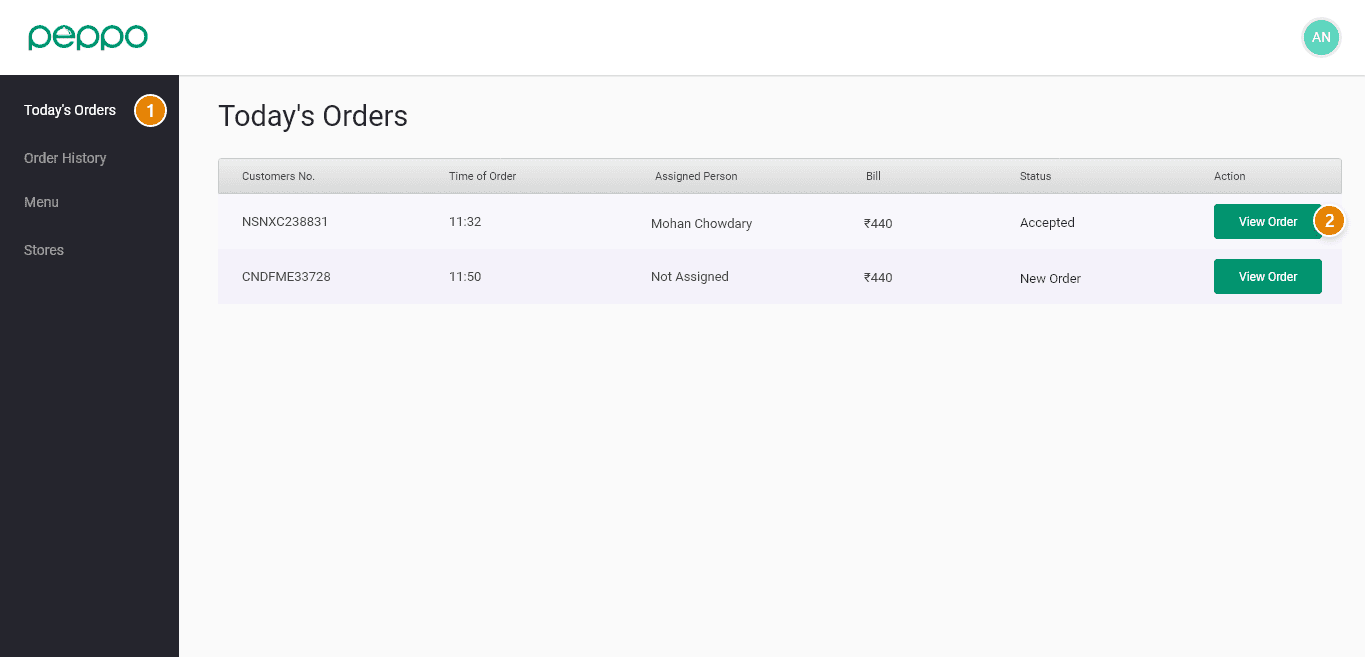
1 -Click on Today’s Orders tab
2 - Click on the View order button for the order you want to Cancel.
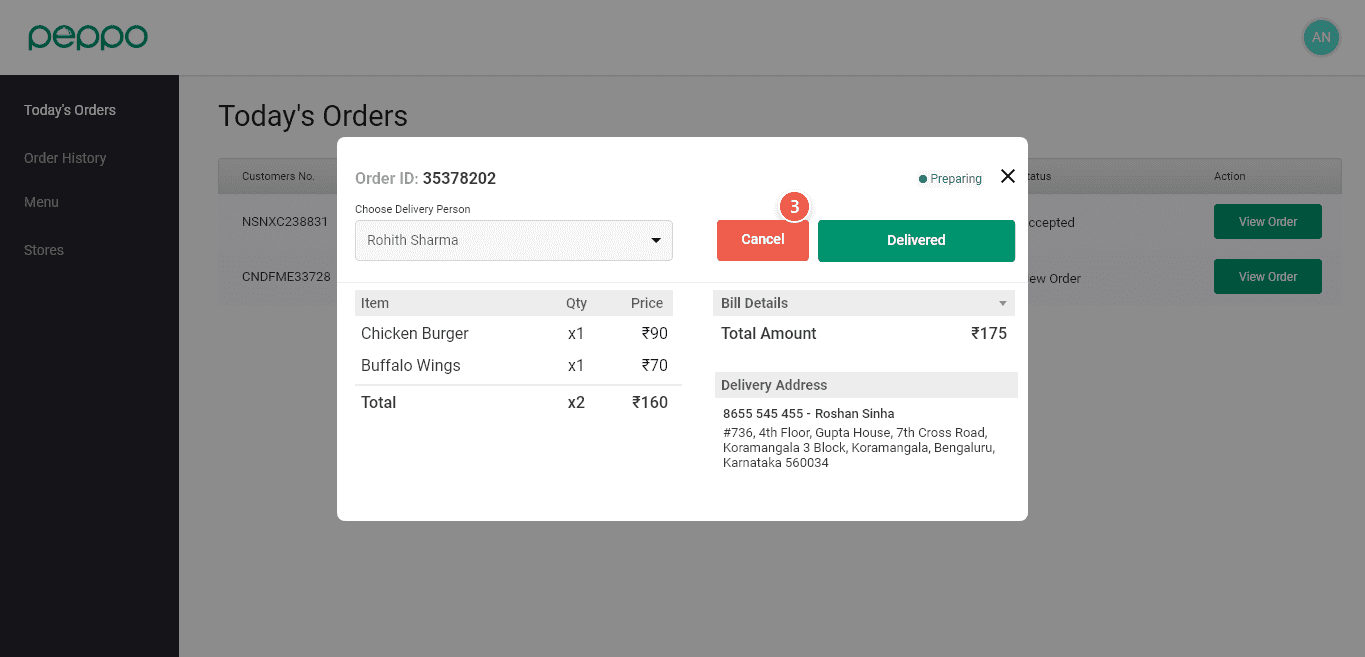
3 - You will see a Cancel button on this pop-up, click on that.
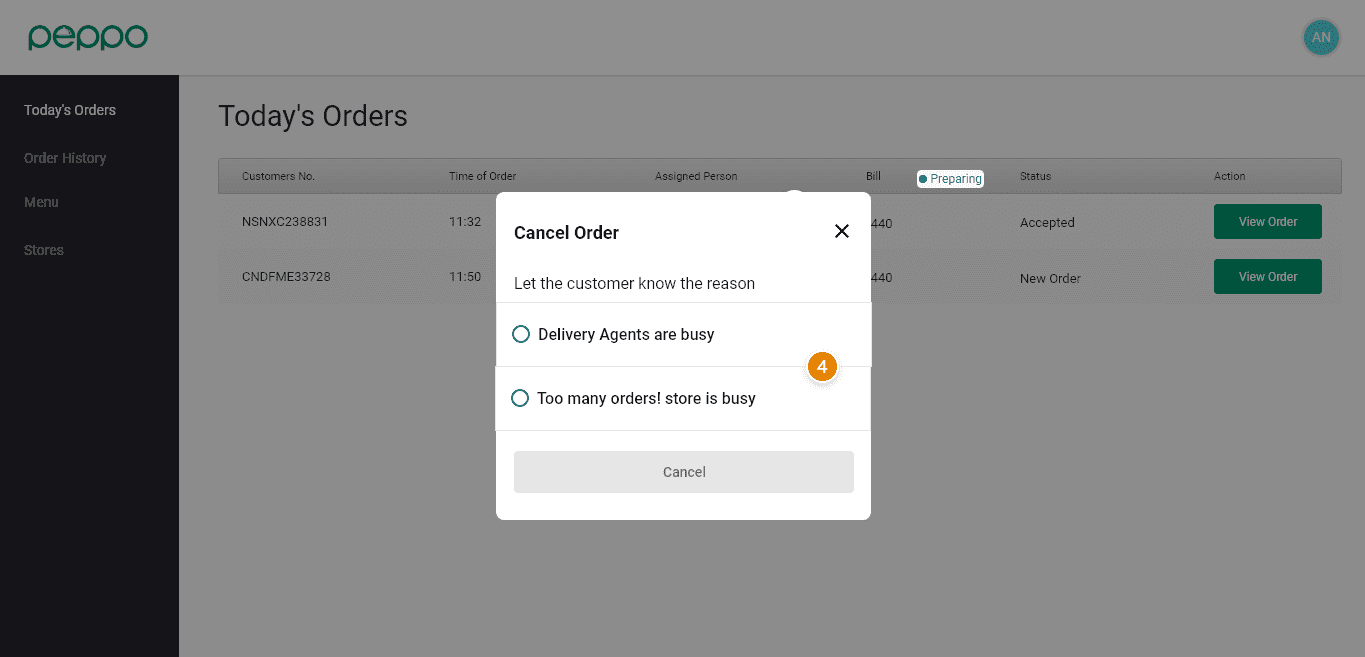
4 - Select the reason for the cancellation from the given option and click Cancel as shown in image below