Add store timings
How to add the timings of your store?

Written by Peppo
Published on 8/11/2020
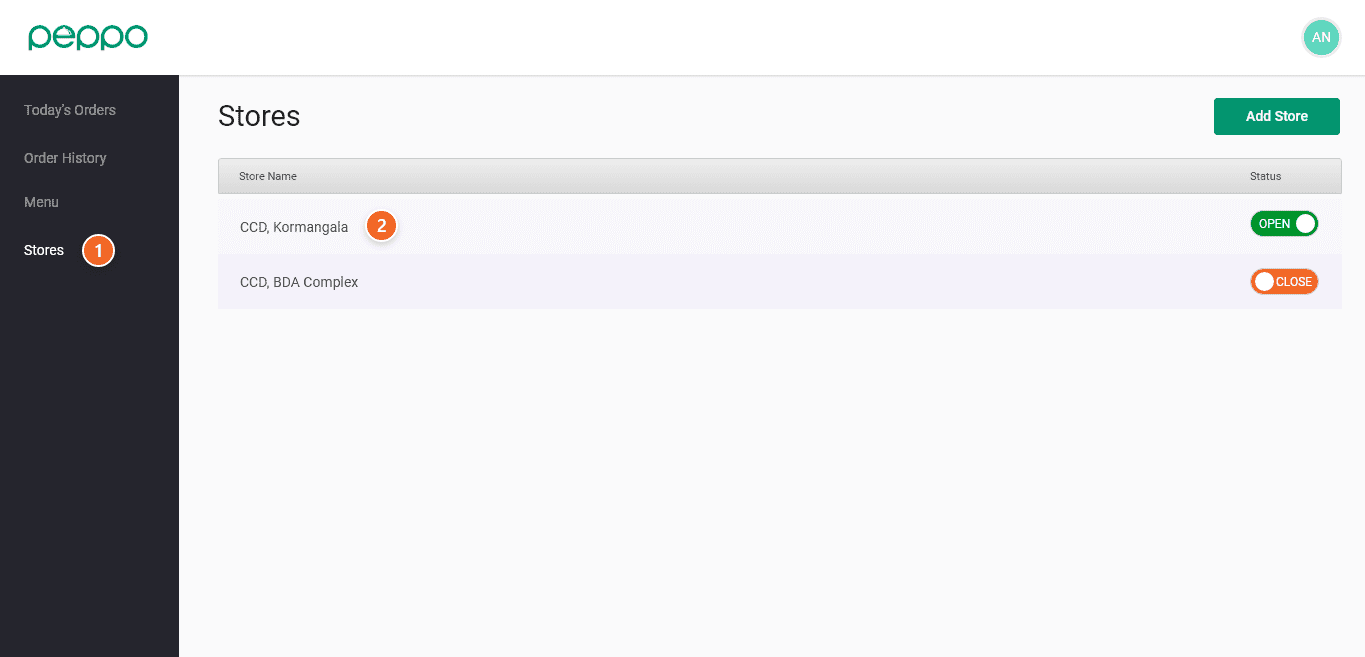
1 - Click on the Stores tab on the left panel.
2 - Click on the Store you want to edit
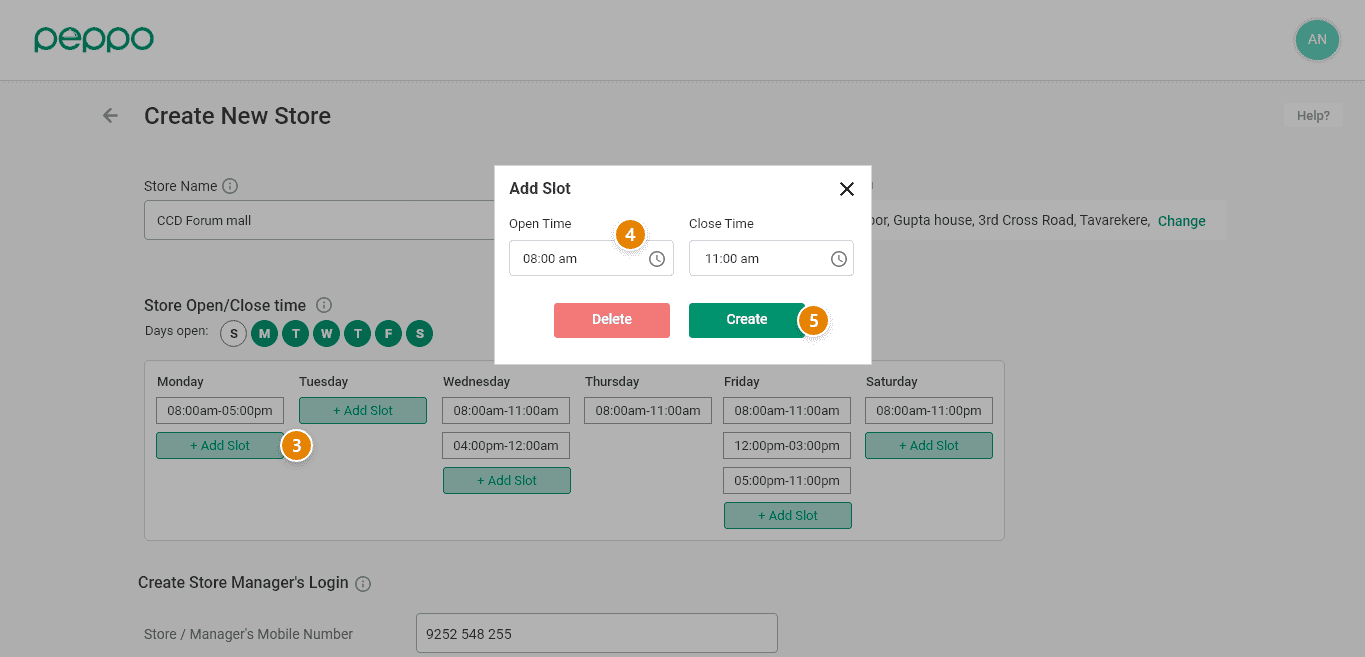
3 - Click the ‘Add Slot’ button for the respective day.
4 - Provide your store’s open and close time. You can also add multiple store timings like 8 AM - 11 AM and 1 PM - 3 PM using the ”Add Slots” option.
5 - Click ‘Create’ after entering the open and close time. Your store timings are now saved.