Add new category
How to add a new category to the menu?

Written by Peppo
Published on 8/3/2020
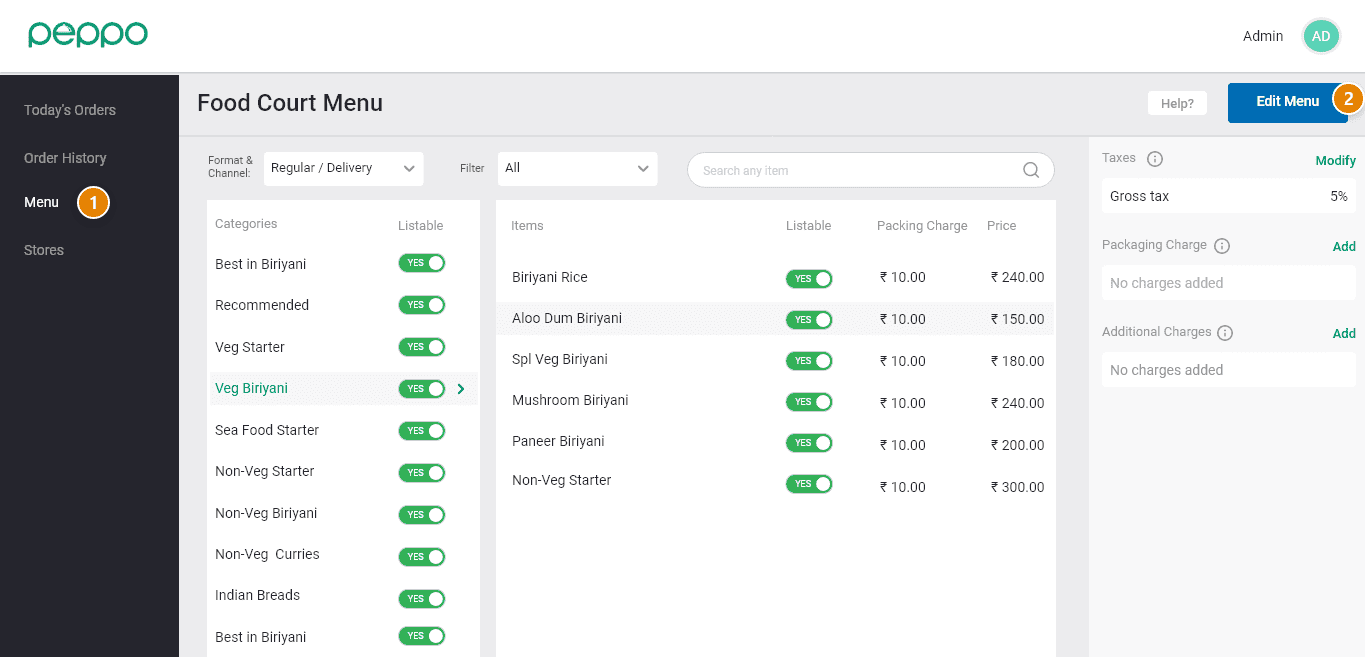
1 - Go to the ’Menu’ tab on the left.
2 - Click the ‘Edit Menu’ button on the right hand.
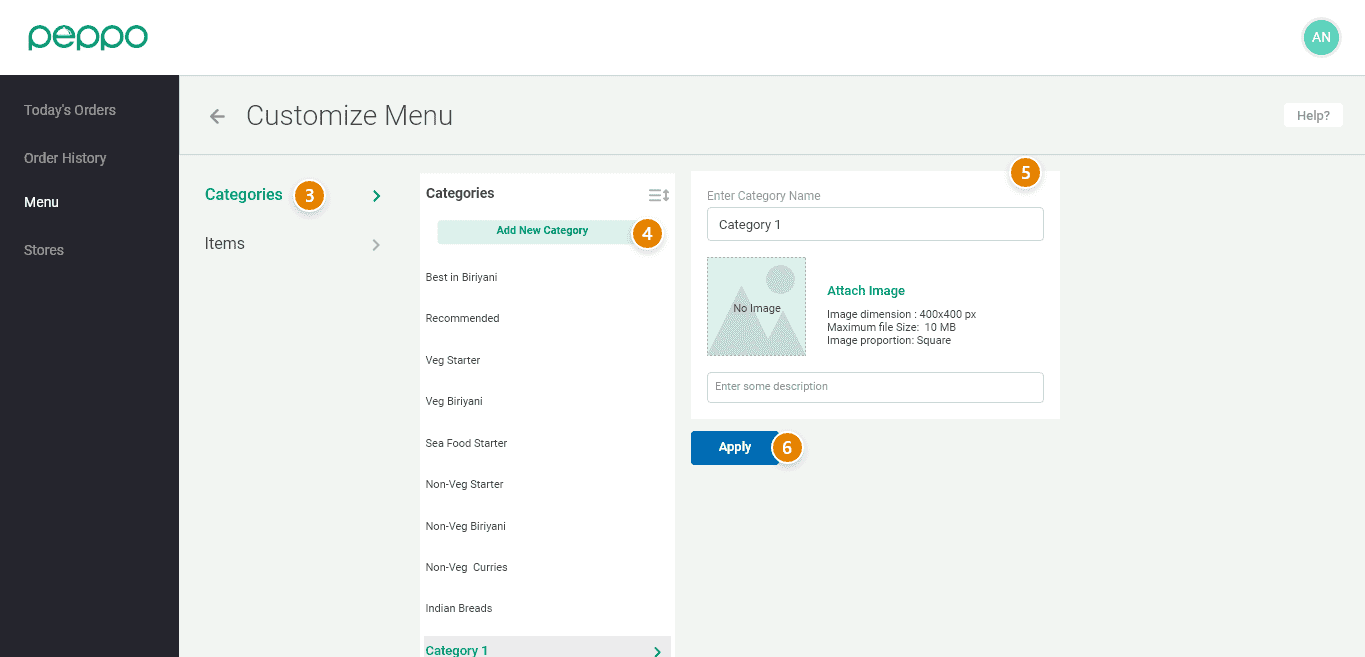
3 - Click on ‘Categories’ on the left side.
4 - Click ”Add New Category“.
5 - You can add the Name and Description of the category.
6 - Click on the ‘Apply’ button to save the changes.