Add delivery agents
How to add new delivery agents?

Written by Peppo
Published on 8/11/2020
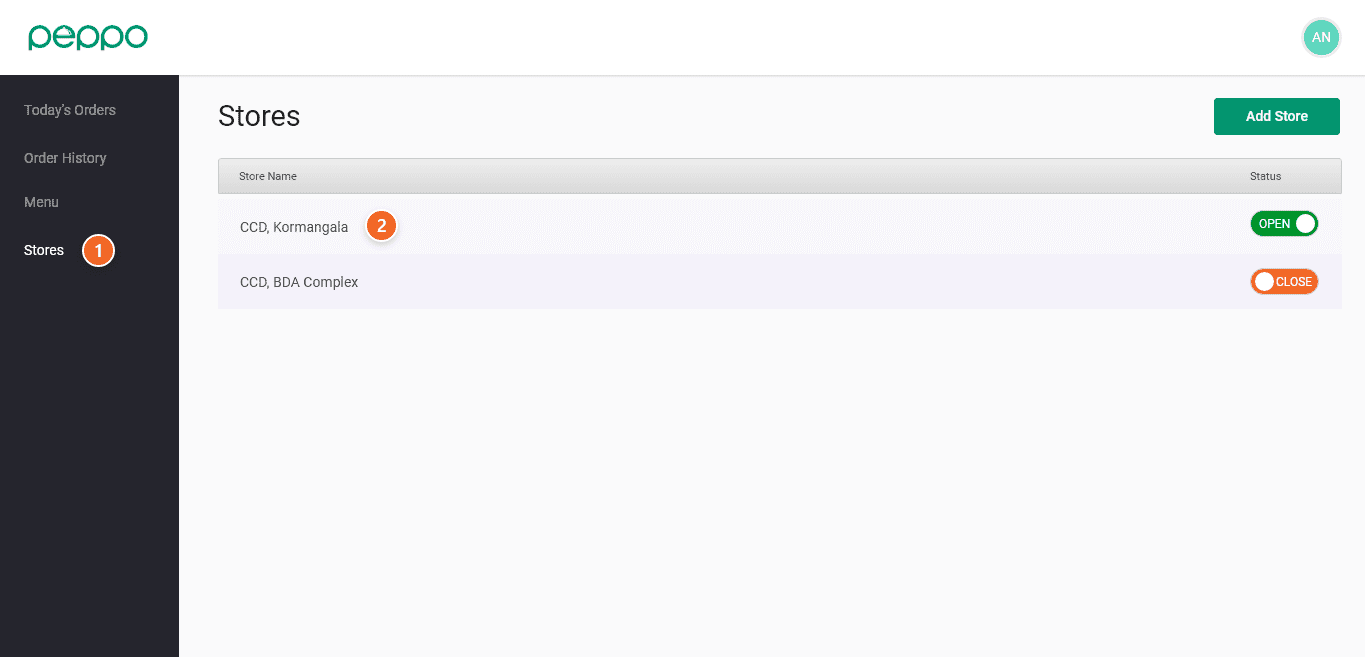
1 - Go to the ’Stores’ tab on the left.
2 - Select the store you want your delivery executives to service.
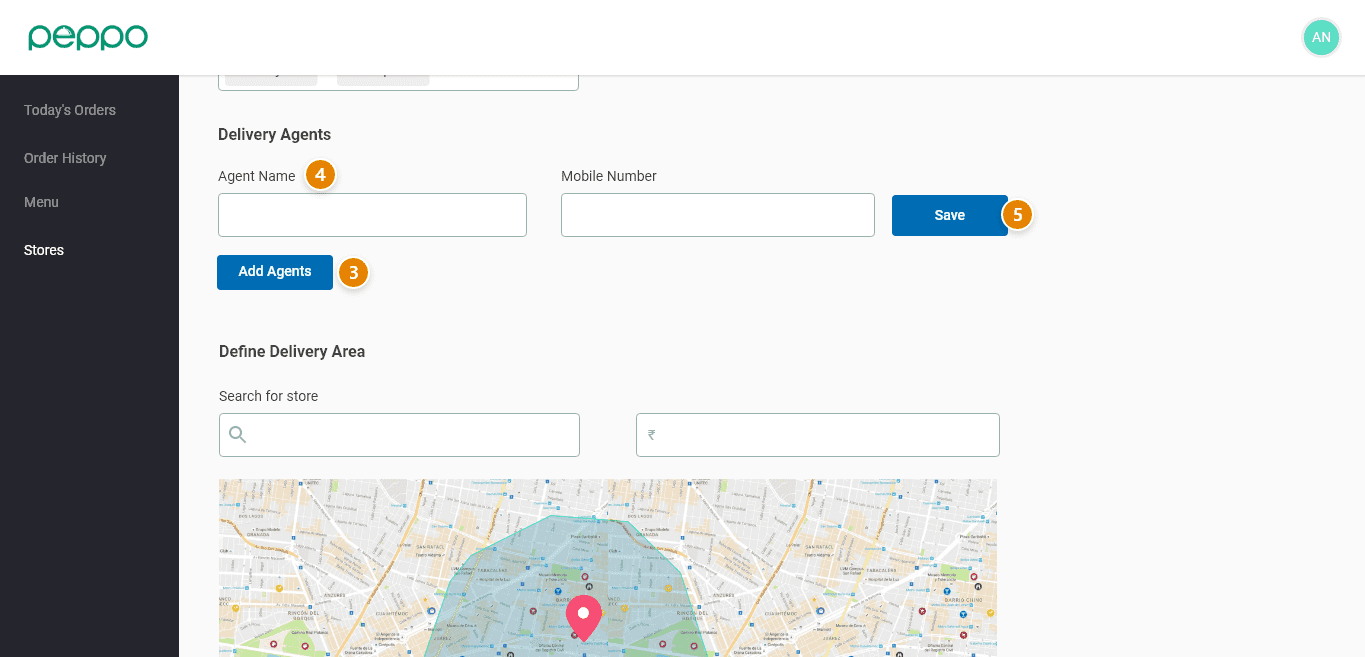
3 - Click the “Add Agents” button under the ”Delivery Agents” heading.
4 - Type the delivery agent’s name and number.
5 - Click ’Save’. You can add multiple delivery agents by following steps 3 and 4.
6 - Click the ”SAVE CHANGES” button at the bottom of the page. Your delivery agent is now registered.