Add a brand image
How to add an image of the brand?

Written by Peppo
Published on 8/11/2020
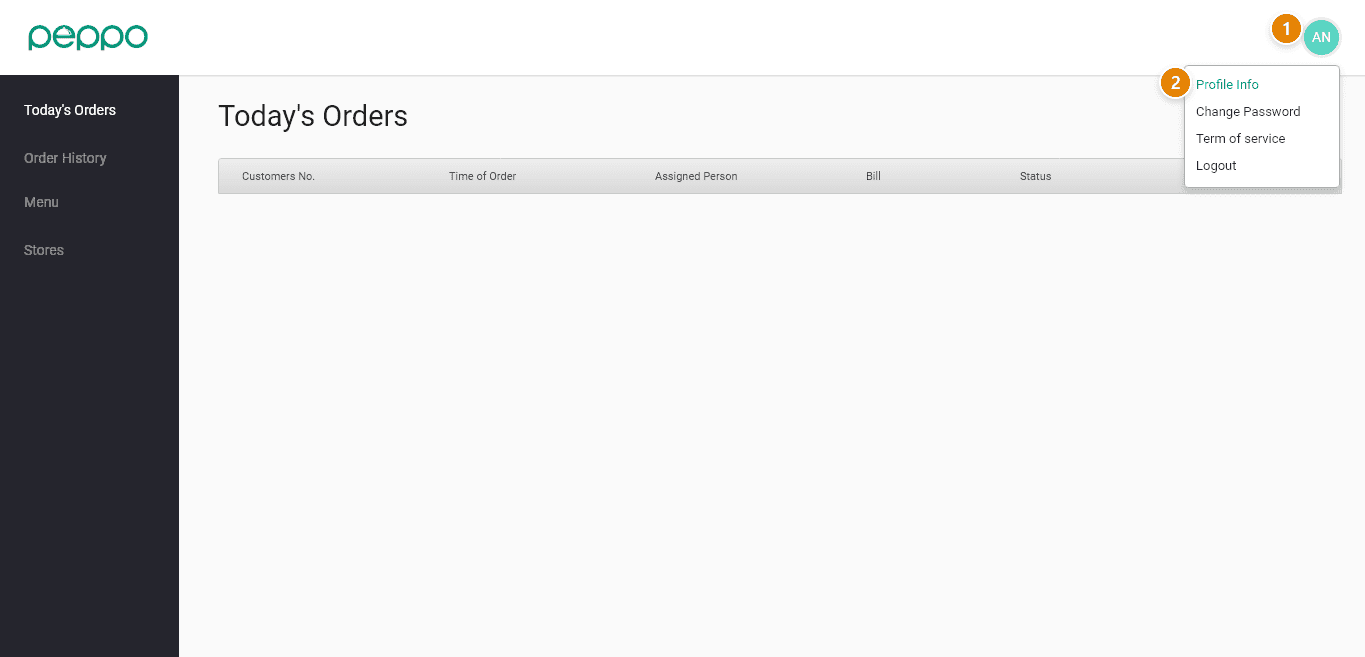
1 - Click the ’Profile’ icon.
2 - Go to the ’Profile Info’ on the right-hand corner under the profile icon.
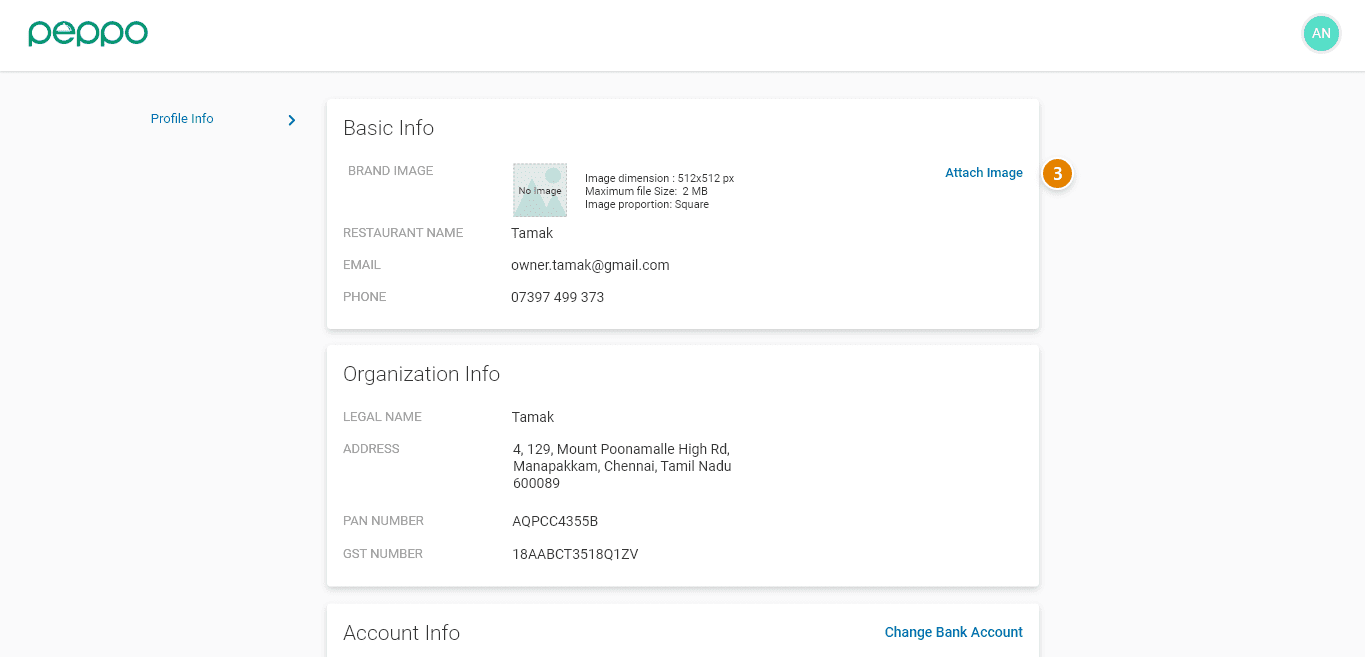
3 - Use the “Attach Image” button to upload the brand image.
4 - Upload the brand’s image as per the specifications.