Accept an order
How to accept an order?

Written by Peppo
Published on 8/11/2020
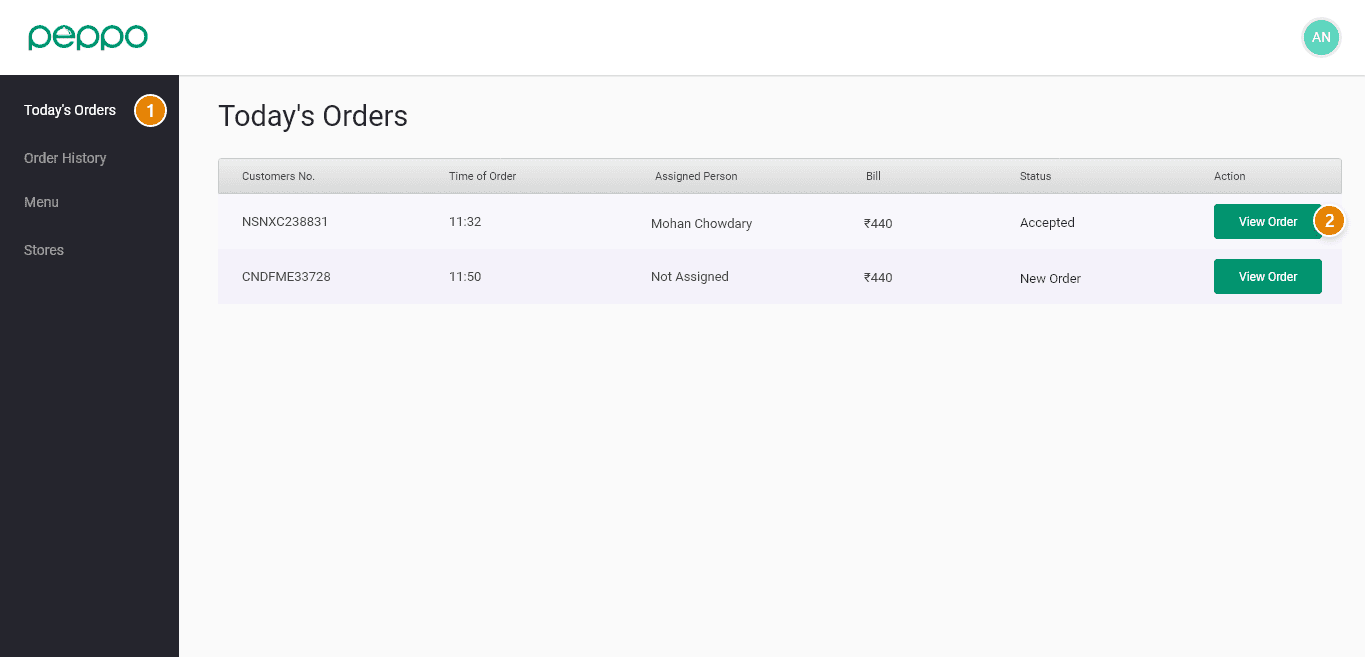
1 - Go to the ”Today’s Orders” tab.
2 - Click ”View Order“.
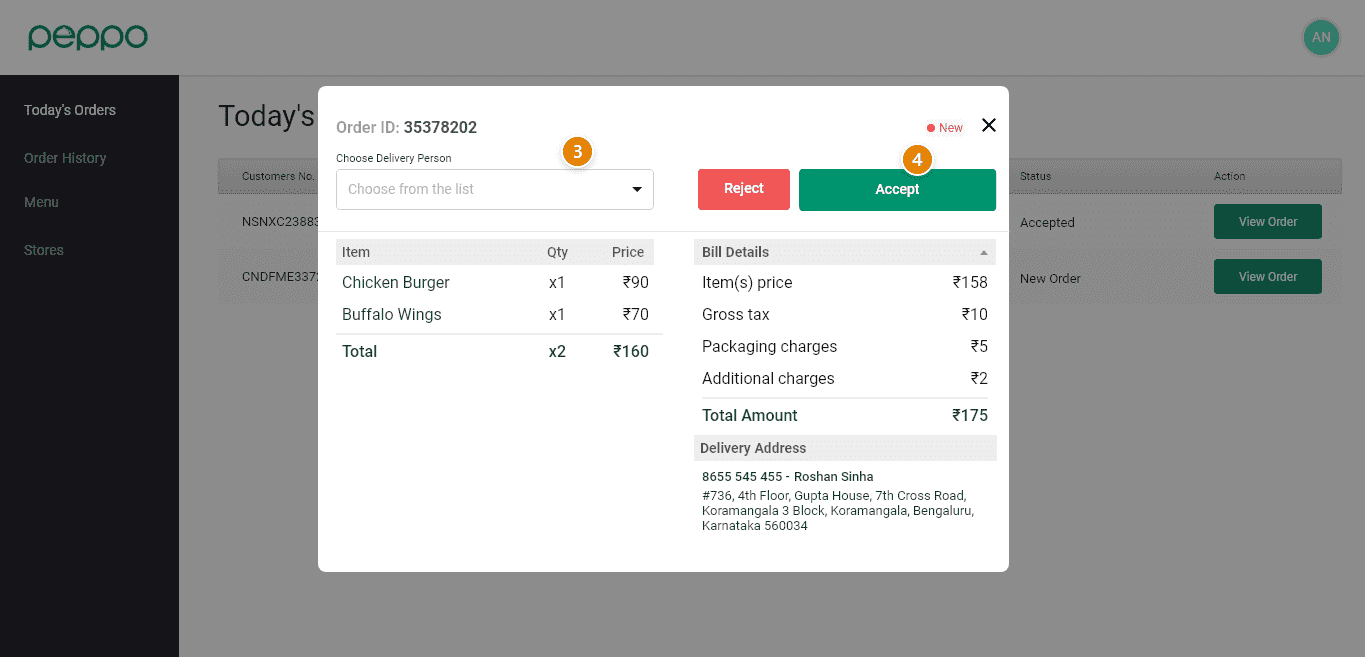
3 - Assign a ”delivery person”. You can choose between your in-house delivery fleet or
external delivery service provider.
4 - Accept the order using the ’Accept’ button. The alarm will stop only after you accept the order.
If you fulfill your orders through a delivery service provider like DUNZO, then select “Delivery Partner” as the delivery person.